Project management
Deliver every project on time, and on budget.
Projects, tasks, sprints and timesheets in one place, connected to your clients, your team and your invoices. Everyone sees what is due, who is overloaded and what is blocked.
- Board, list and timeline views with dependencies
- Time tracking and timesheets that feed invoices
- Client portal and approvals built in
What you get
Plan, deliver and bill client work: boards, timelines, sprints, time and approvals.
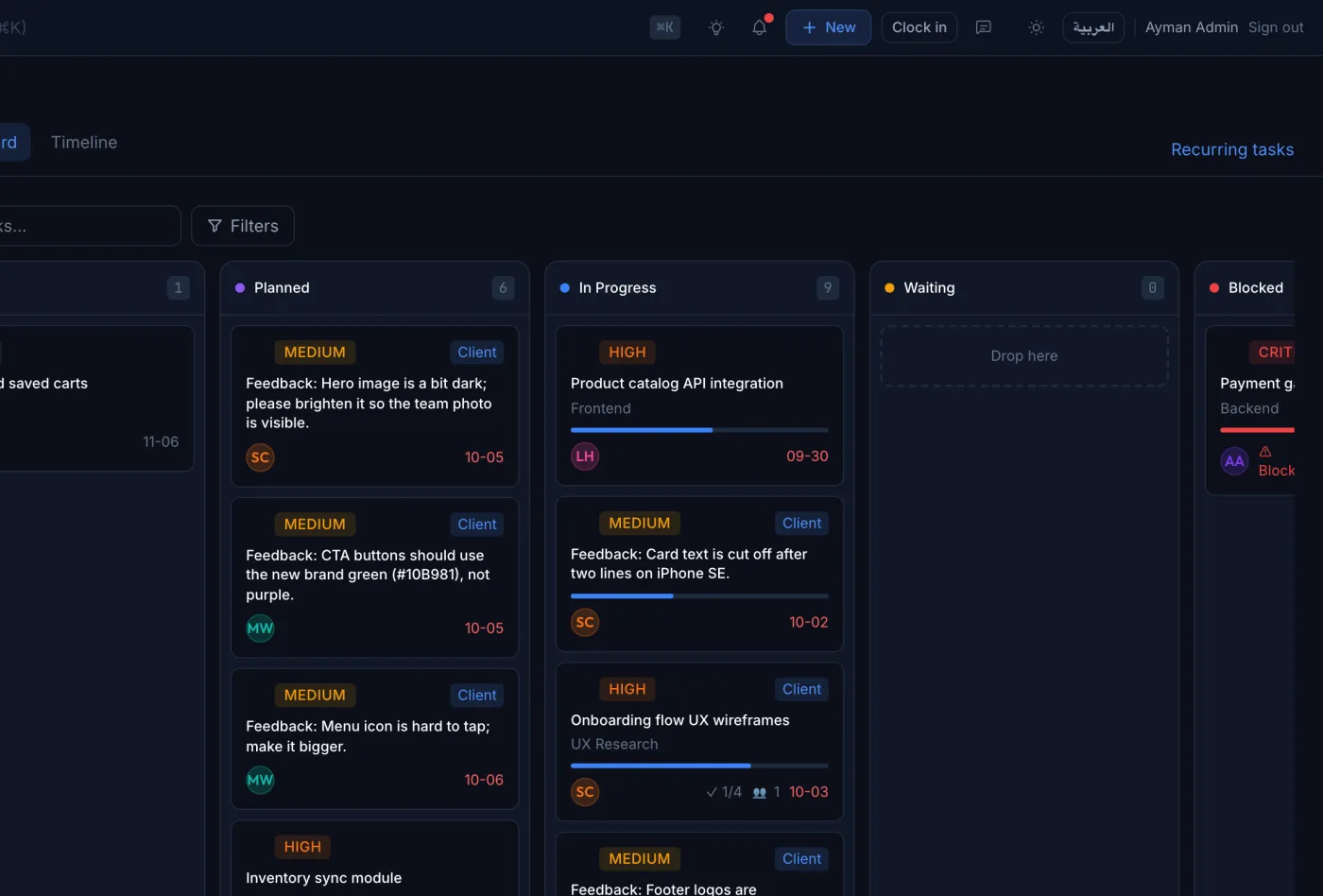
Kanban, list and timeline
One task list, three views. Drag cards across the board or plan on a timeline with dependencies.
Sprints and recurring tasks
Run sprints for product teams and let routine work create itself on schedule.
Time tracking and timesheets
Start a timer from any task or log hours later. Timesheets roll up by person, project and client.
Templates and portfolio
Start projects from templates and watch every project in a portfolio view with health and budget.
Client portal
Clients see their projects, review deliverables and approve work without email threads.
Approvals and change requests
Reviews, change requests and expenses go to the right approver, with a full history.
Project dashboard
See delivery at a glance
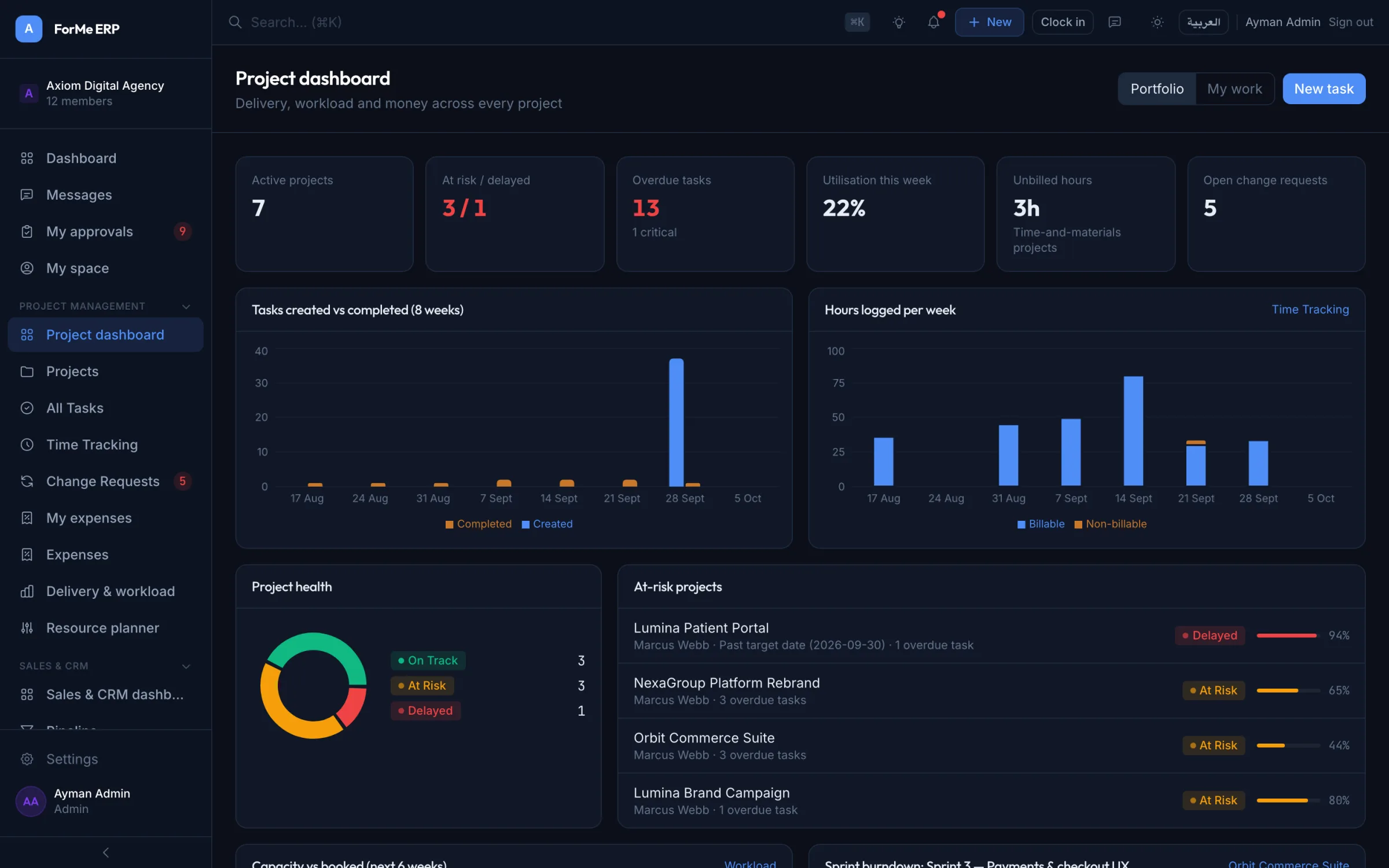
The PM dashboard brings overdue work, budgets, team load and client reviews to one screen.
- Overdue and at-risk projects first
- Invoiced versus collected
- Who is over capacity this week
Timeline
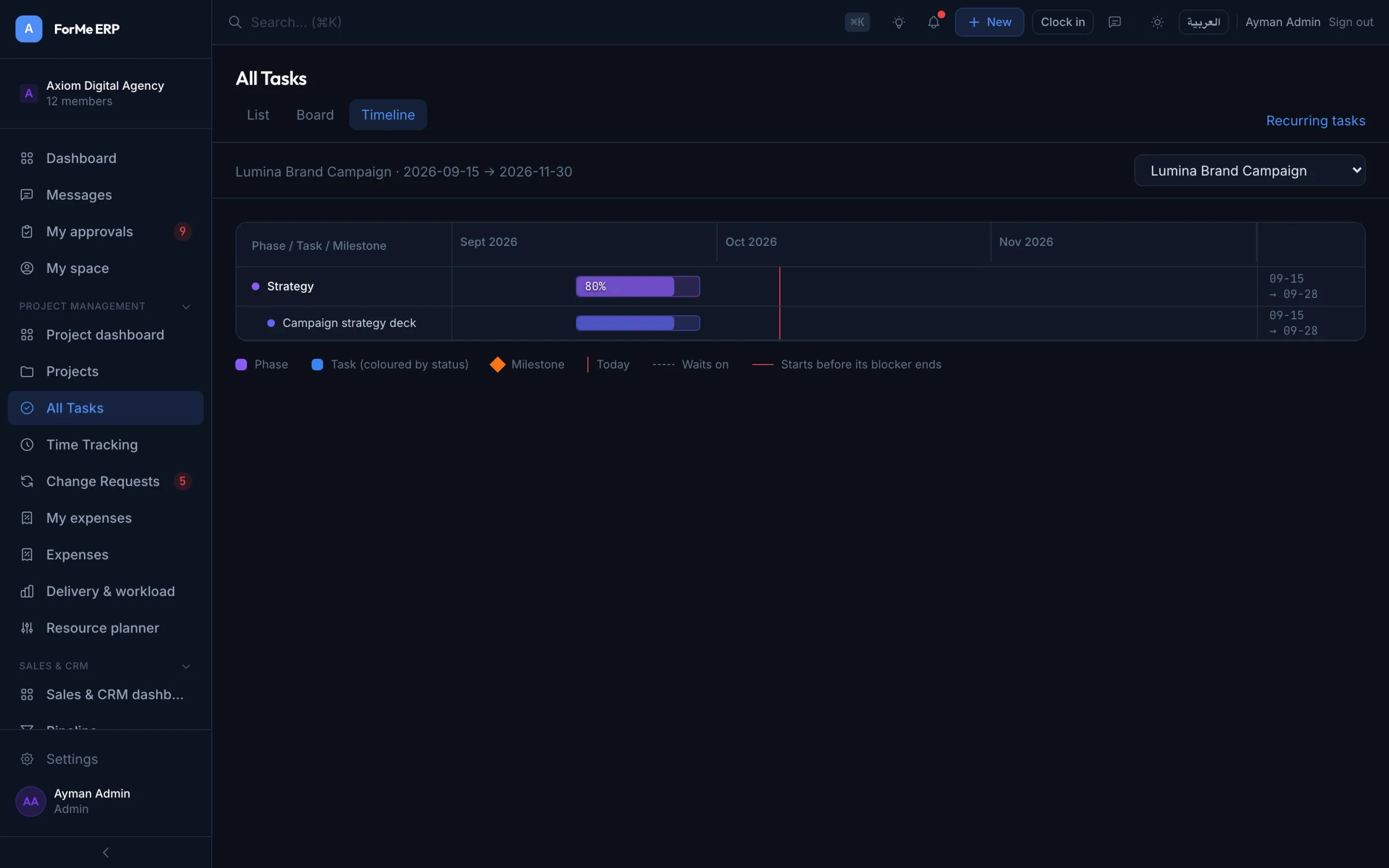
Plan with dependencies, not guesswork
Link tasks so a slip shows up straight away. Blocked work is flagged on every view.
- Blocked-by and blocking links
- Milestones and sprints
- Bulk edit from any list
Time
Every billable hour, captured
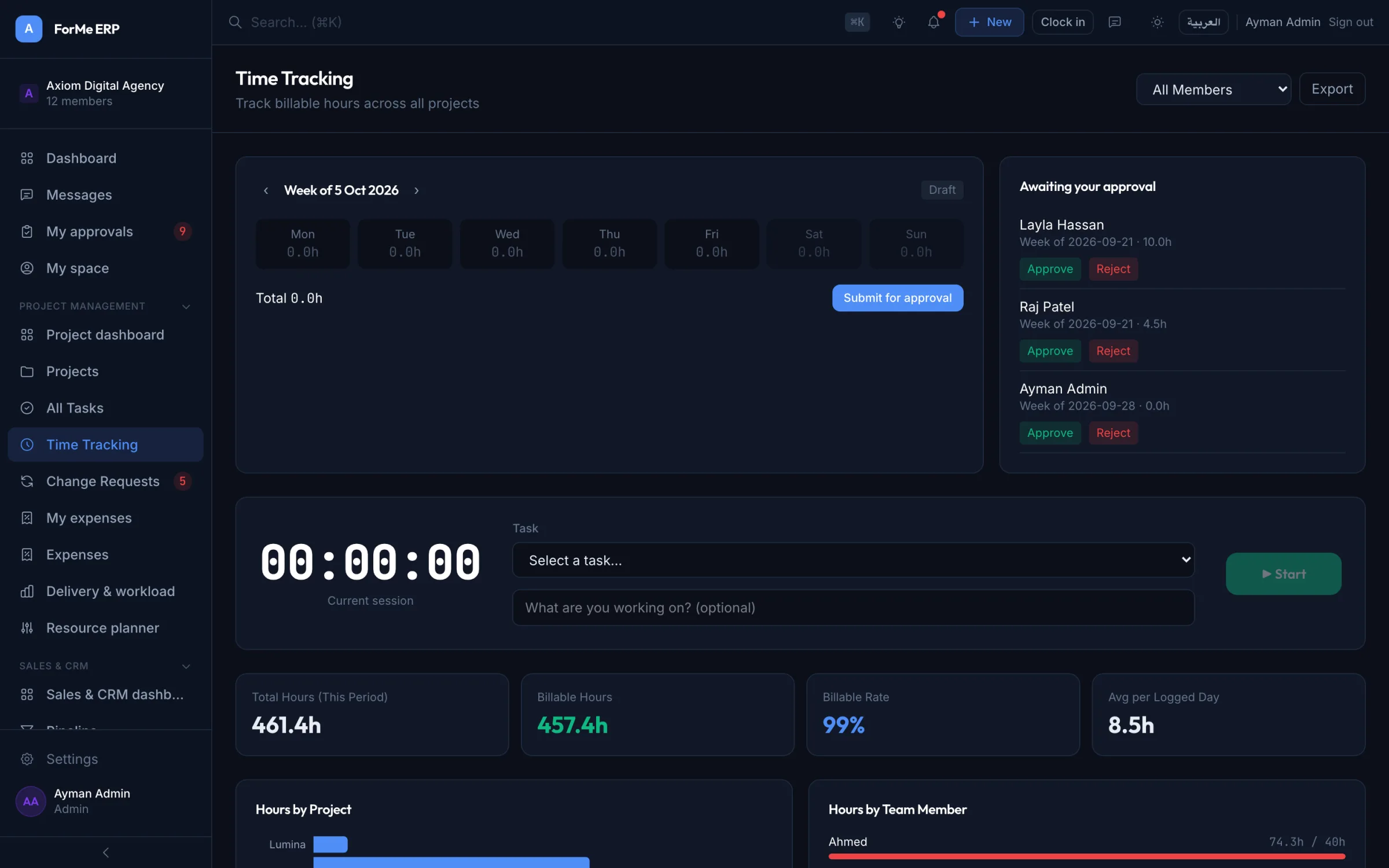
Timers and timesheets sit next to the work, so hours are logged when they happen and land on the right invoice.
- One-click timers on tasks
- Weekly timesheets per person
- Billable and non-billable split
See it live
Click around the real thing
This is ForMe ERP with a sample company. No sign-up, nothing to install.
This is the real product with sample data. Try to create something to get your own sandbox.
Your own sandbox
Try it with your own data, free for 7 days
We create a private copy of the demo company for you in seconds. Change anything, invite nobody, break nothing.
- Ready in under a minute
- Full sample data in every suite
- Arabic and English
- No credit card
Questions, answered
Can clients see their own projects?
Yes. The client portal shows each client their projects, deliverables waiting for review and decisions to approve. They never see your internal notes.
Does time tracking connect to invoicing?
Yes. Logged hours belong to a project and client, so you can bill them on an invoice instead of copying numbers between tools.
Can we move from Asana, Jira or spreadsheets?
Yes. Projects and tasks import from CSV, and our team helps Business and Enterprise customers with the move.
Is there a mobile app?
ForMe ERP installs on phones and desktops as an app (PWA), straight from the browser. There is nothing to download from a store.
Works with the rest of ForMe
Every suite shares one database, one login and one set of permissions. Turn on what you need, when you need it.
Run your whole company from one place.
Start a free trial with your own workspace, or explore the live demo first. No credit card needed to look around.